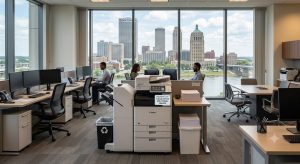
Choosing between a commercial copier vs desktop printer in Tulsa comes down to three things: how much an office prints, how many people share the device, and what the machine needs to do beyond printing. Getting that match right keeps supply costs low and downtime rare, while getting it wrong drains budgets month after month.
Much of the confusion starts with one word. Many people say “Xerox” when they mean any copier, even though Xerox is a specific brand, and that habit muddies the Xerox vs. standard printer debate for many Tulsa offices.
The stakes are real on both sides. A busy office that relies on cheap desktop printers pays for it in ink, jams, and lost time, while a two-person office that leases a large copier often pays for capacity it never uses.
The quick answer:
- Standard printer: Best for low-volume, single-user, or small home offices that need a small footprint and a low starting price.
- Xerox or commercial MFP: Best for shared offices with high monthly volume, advanced security needs, document finishing, and a lower cost per page.
This guide breaks down the terms, the numbers, and the real cost per page commercial printer vs desktop printer comparison. It also shows how Tulsa business owners, office managers, and IT admins can tell which option fits their workload.
What Is the Difference Between a Commercial Copier and a Desktop Printer?
A standard desktop printer is generally designed for individual users or small teams with relatively light workloads. It may print documents quickly enough for everyday tasks, but its compact design usually means smaller paper trays, lower duty cycles, and fewer workflow features.
A commercial copier or office MFP is designed as a shared document hub rather than simply a printer. Depending on the model, it can print, copy, scan, fax, sort, staple, hole-punch, store documents, connect to cloud services, and support user authentication.
| Feature | Desktop Printer | Commercial Copier/MFP |
| Typical use | Individual or small office | Shared business environment |
| Print volume | Light | Moderate to high |
| Speed | Lower | Higher |
| Copying | Limited or unavailable | Standard |
| Scanning | Basic on some models | Advanced |
| Finishing | Rare | Available on many models |
| Security | Basic to moderate | Advanced options |
| Paper capacity | Smaller | Larger |
| Service | Break/fix is common | Service contracts available |
The distinction becomes clearer when the office looks at how the equipment will be used every day. A desktop printer may be perfectly capable for occasional invoices, correspondence, and internal documents, while a commercial MFP is built for repeated use by multiple people.
Comparing Volume, Duty Cycle, and Speed
Every printer has a monthly duty cycle, which is the maximum number of pages it can handle in a month without breaking down. Manufacturers also list a smaller recommended monthly volume, and that lower number is the one that actually predicts how long a machine will last.
Desktop printers are usually recommended for a few hundred to a couple thousand pages per month, while commercial MFPs are built for many thousands. When a small printer is pushed past its limits, parts wear out faster, jams become routine, and the machine may need replacing within a year or two.
Speed follows the same pattern. Commercial machines print faster, get the first page out quickly, and handle thick paper, envelopes, and 11×17 sheets without slowing the whole office down.
| Factor | Standard Printer | Commercial Copier / MFP |
| Recommended monthly volume | About 200–2,000 pages | About 2,000–20,000+ pages |
| Print speed | 15–40 pages per minute | 30–70+ pages per minute |
| Paper handling | 1 tray, letter and legal | Multiple trays, 11×17, heavy stock |
| Users | 1–2 | 5 to entire departments |
| Built for | Light, occasional use | All-day shared use |
What Can a Commercial MFP Do That a Standard Printer Can’t?
The biggest gap in the commercial copier vs printer matchup is workflow, not print quality. A standard printer mostly prints, and some models add basic scanning, but a commercial MFP acts as a document hub for the entire office.
- Scan to email, cloud, and network folders in one step, even for long multi-page files
- Automatic duplexing for two-sided printing and scanning
- Inline finishing such as stapling, hole-punching, folding, and booklet making
- User access codes that track who prints what and limit color use
- Secure print release that holds each job until the user enters a PIN at the machine
Security is another major difference. Business-class MFPs often include hard drive encryption, PIN release, and audit logs, which matter for Tulsa law firms, medical offices, and schools that handle confidential records.
That said, the commercial copier vs desktop printer in Tulsa choice does not have to be all-or-nothing. A single MFP can handle the heavy work in a central spot, while one or two small printers stay at desks where privacy or convenience matters most.
Is a Commercial Copier Cheaper Than a Desktop Printer in the Long Run?
The cost per page commercial printer vs desktop printer is often more important than the equipment’s initial purchase price. A desktop printer may cost less at checkout, but ink, toner, drums, maintenance, replacement units, and employee downtime can increase its actual operating cost over time.
The cost per page commercial printer vs desktop printer should account for the consumable’s price and expected page yield, along with maintenance where applicable. Commercial copiers often achieve lower per-page costs at higher volumes because they are engineered around larger workloads and may be supported by service agreements.
Common Desktop Printer Costs
- Ink or toner cartridges
- Replacement drums or imaging components
- Paper and other supplies
- Repairs or replacement units
- Employee time spent resolving jams
- Downtime during equipment failures
- Higher supply costs from frequent cartridge changes
The cost per page commercial printer vs desktop printer can therefore tell a different story from the purchase price. A $300 printer is not necessarily less expensive than a $5,000 commercial MFP if it requires frequent replacement and produces thousands of pages at a higher operating cost.
Matching the Equipment to the Business
The key lesson from the commercial copier vs desktop printer in Tulsa comparison is that neither device is automatically right for every business. A desktop printer can provide an economical and compact solution for light workloads, while a commercial copier or MFP can deliver greater speed, capacity, workflow automation, security, and service support for demanding offices.
The Cost per page commercial printer vs desktop printer should be evaluated alongside duty cycle, supply costs, repairs, downtime, and equipment lifespan. Likewise, the Cost difference between leasing a Xerox copier and buying regular printers Tulsa businesses encounter should be based on total ownership and operating costs rather than the equipment payment alone.
Clear Choice Technical Services can help Tulsa businesses evaluate their current print volume, workflow, and equipment requirements before choosing a solution. Call (918) 223-8138 to discuss copier sales, leasing, rentals, repair, and service options, or ask Clear Choice Technical Services about a free demo trial and quote for equipment that fits the company’s current needs and future growth.